Step 1 of 8 · Details
Start with the facts.
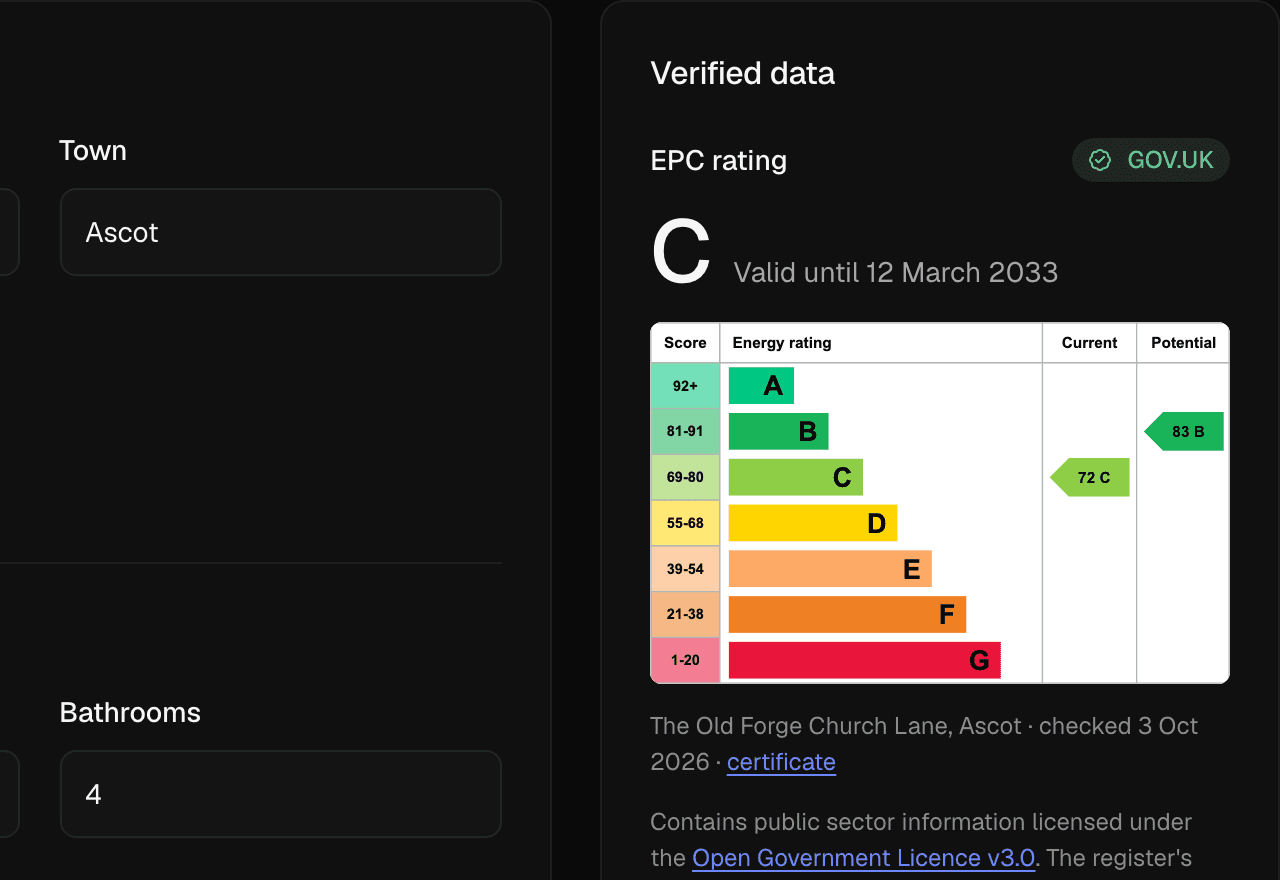
Type the postcode and Plotty finds the address, then the energy certificate on the GOV.UK register. Add the rooms, price and tenure, and the key features fill themselves in from what you entered.
Address lookup from the postcode
EPC rating, graph and source
Rooms, tenure and key features
Step 2 of 8 · Photos
Drop in the whole shoot.
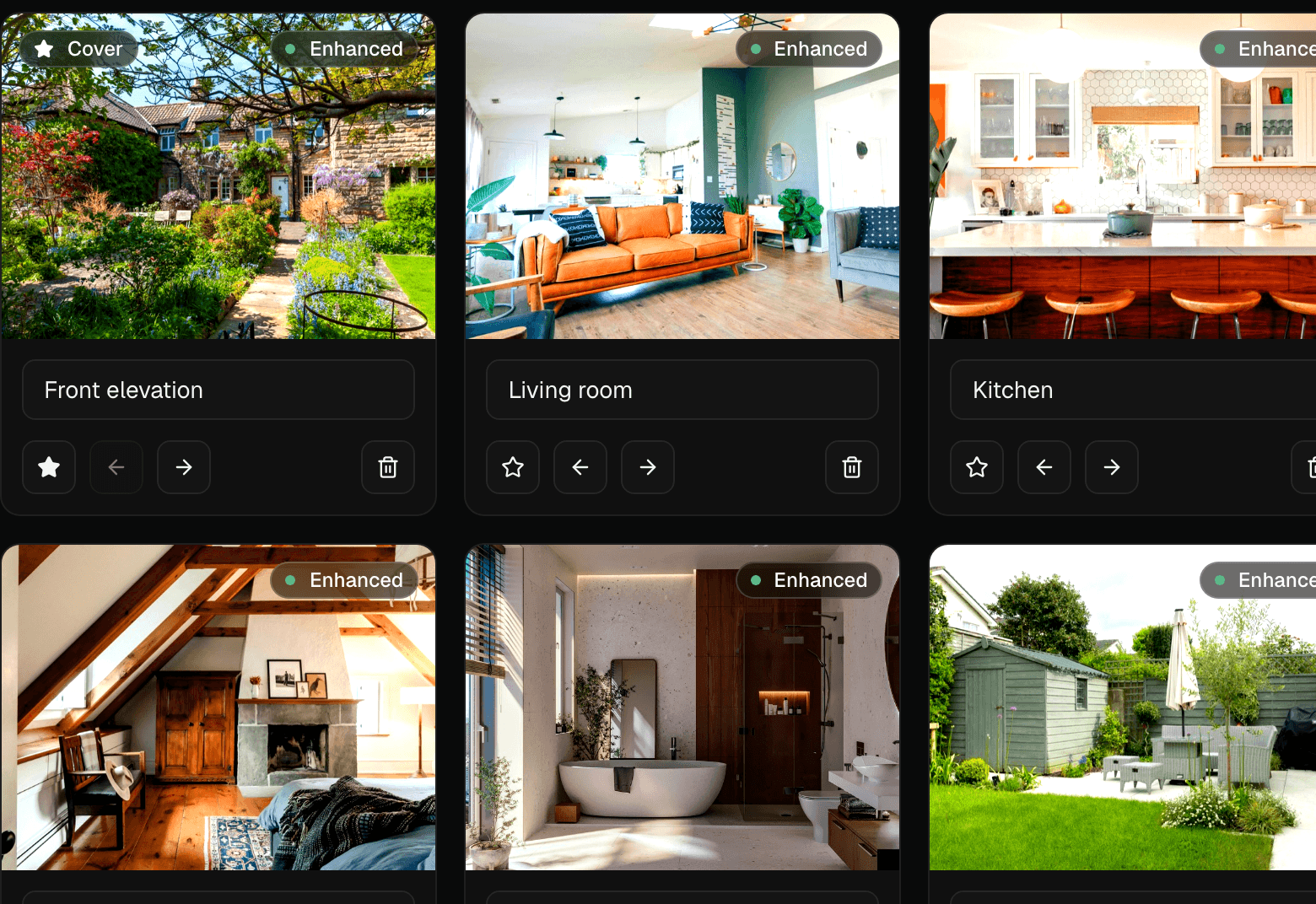
Add every photo from the shoot at once. Put them in order, name each room and pick the cover. The cover leads every portal listing, so it gets its own star.
JPEG, PNG, WebP and HEIC from phones
A cover that leads every listing
Originals are kept, never changed
Step 3 of 8 · Enhance
One look for every room.
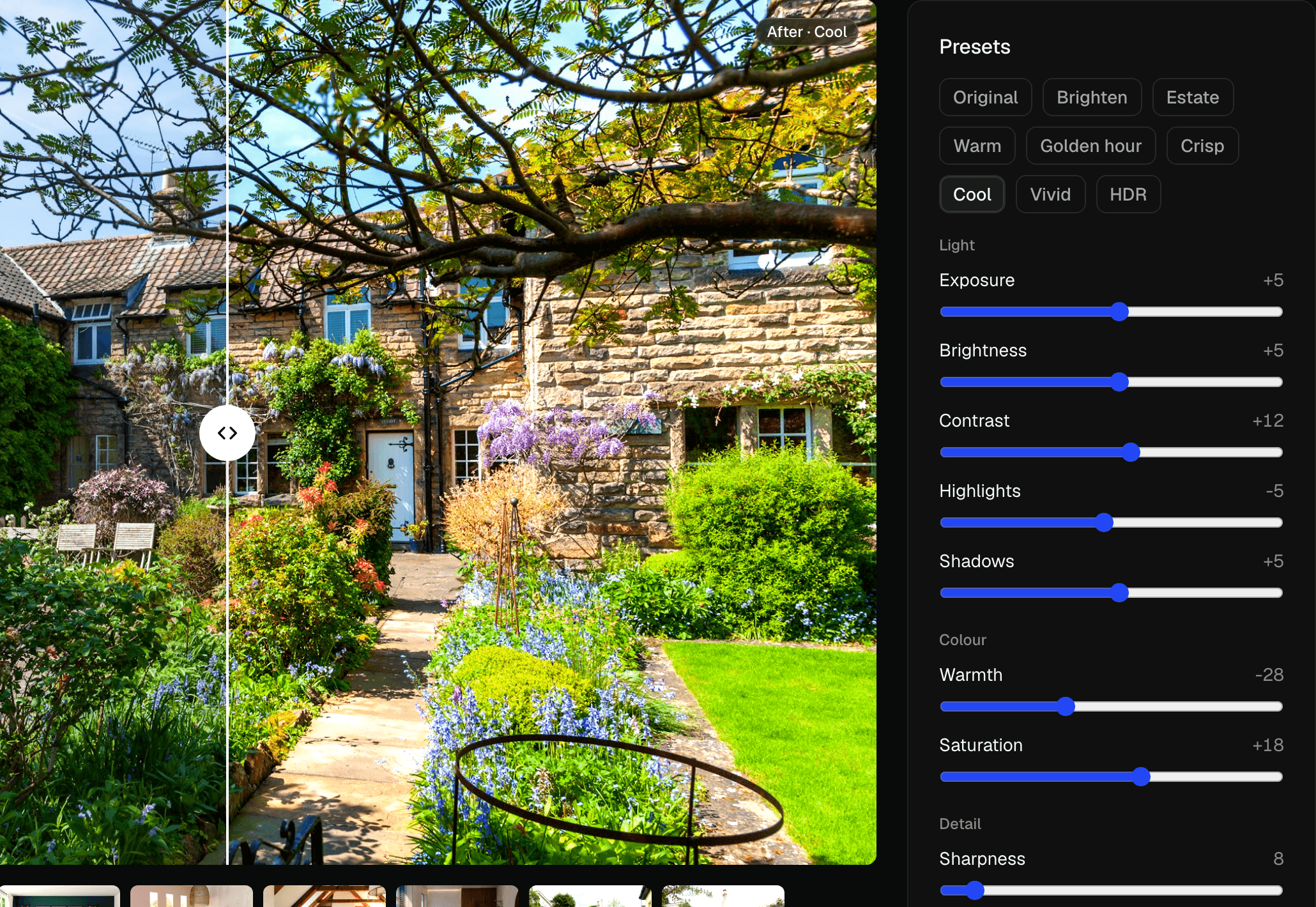
Pick a look once and apply it to every photo, or tune each one by hand. Edits are saved as settings, so the original stays untouched and every export applies them at full size.
Nine looks, from Brighten to HDR
Light, colour and detail sliders
Before and after, side by side
Step 4 of 8 · Floor plan
Type a room, see the plan.
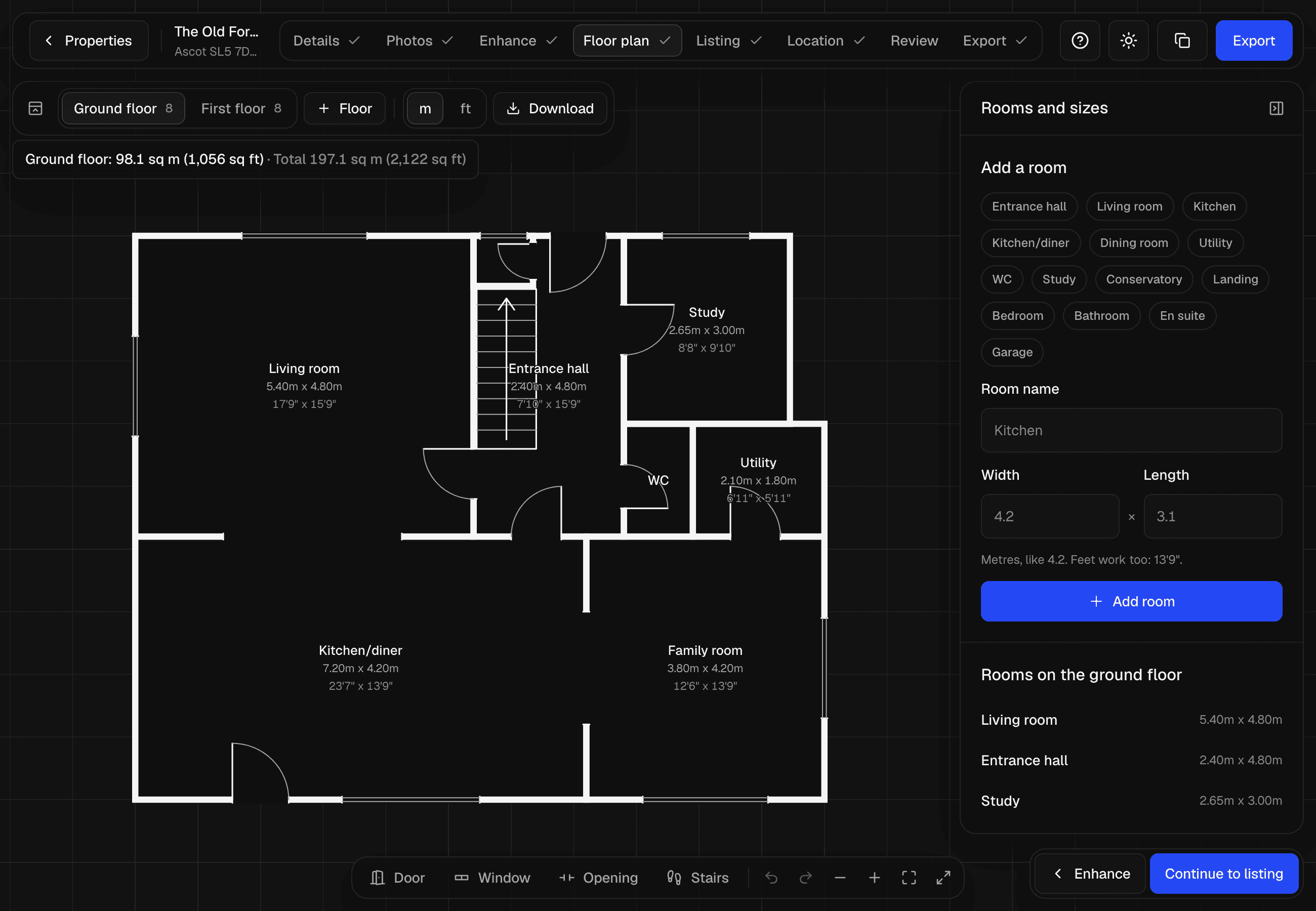
Agents measure in metres or in feet and inches, so Plotty takes either. Each room lands next to the last, walls snap together and the total area adds itself up.
Doors, windows and stairs on the toolbar
Total area in square metres and feet
For illustration, and labelled not to scale
Step 5 of 8 · Listing
Copy that doesn’t make things up.
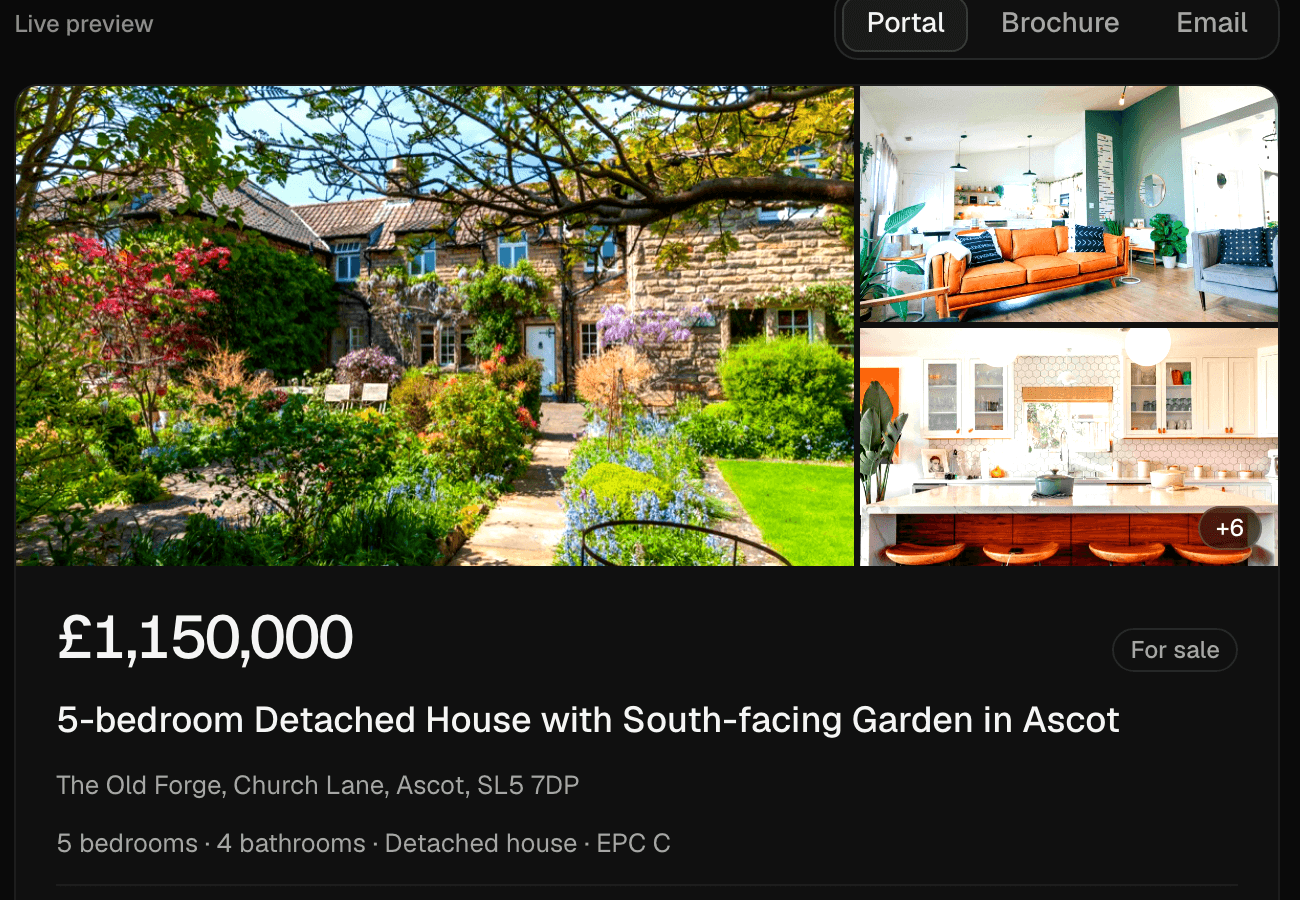
The AI drafts the headline and description from facts you can trace: your details and notes, the EPC register and the places on the map. A live preview shows the portal listing as you write.
Tone and length to suit the house
Words your notes don’t back up are flagged
An agent ticks that they’ve checked it
Step 6 of 8 · Location
The places buyers ask about.
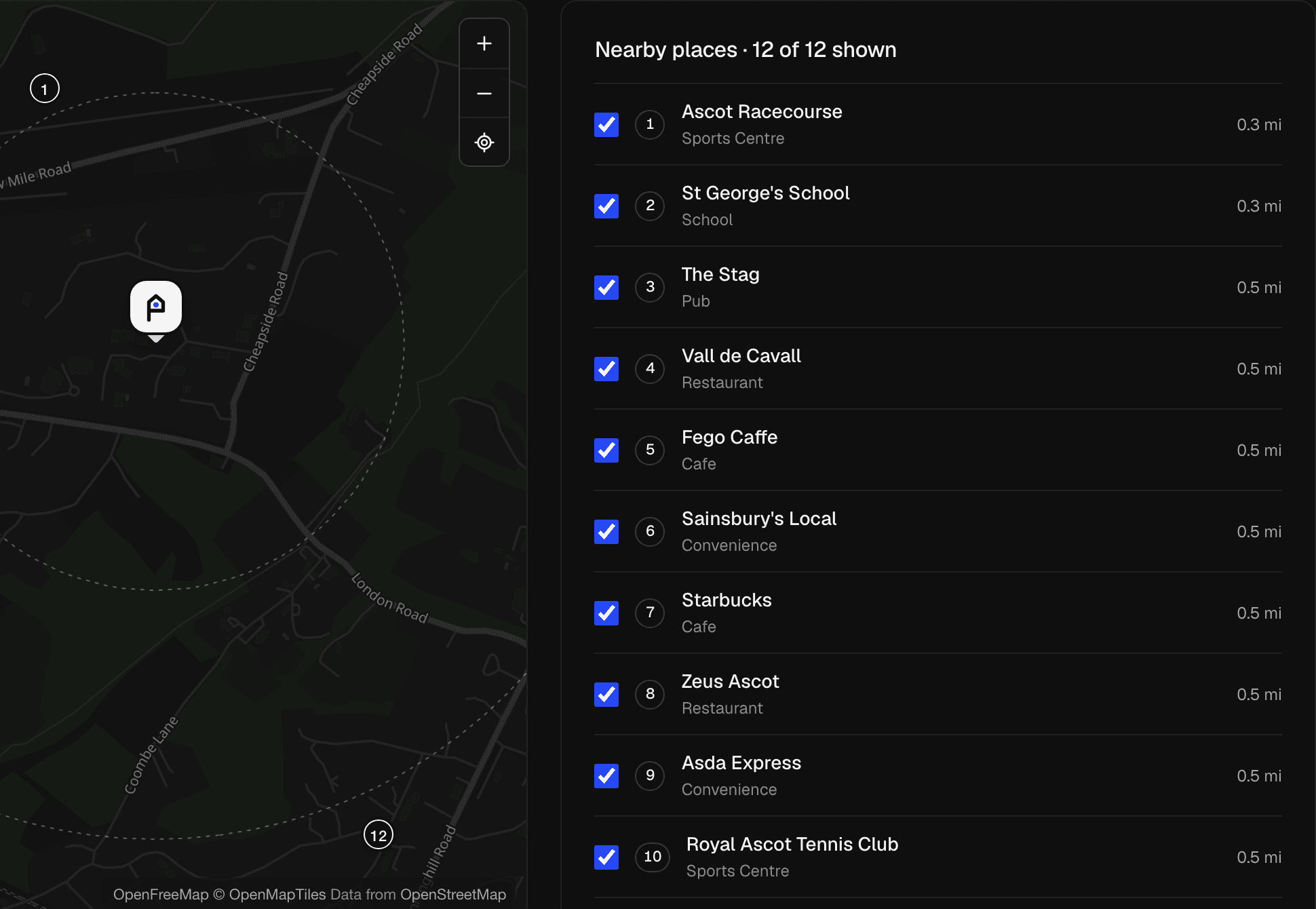
Plotty pins the house and finds nearby schools, stations and shops from OpenStreetMap. Keep the ones that matter and the distances go straight into the listing.
Distances worked out for you
A warning if the pin and postcode disagree
The map credit kept on every export
Step 7 of 8 · Review
Nothing goes out half done.
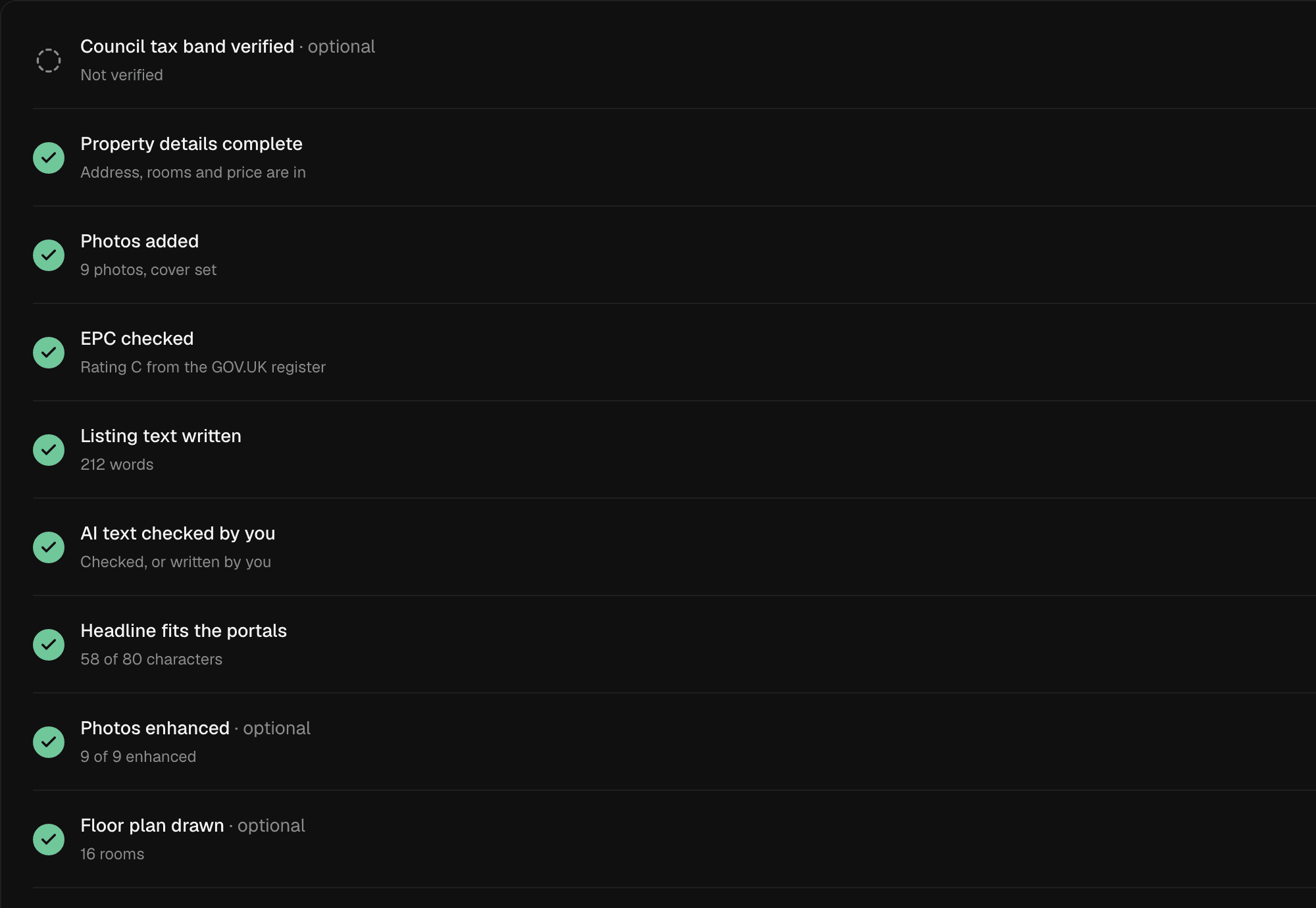
Every required check sits in one list, unfinished first, with a button that takes you straight to each gap. Headlines are checked against the portals’ limits before anything leaves.
Headline length against portal limits
Missing EPC, cover photo or floor area
One click to the step that needs it
Step 8 of 8 · Export
Ready for every portal.
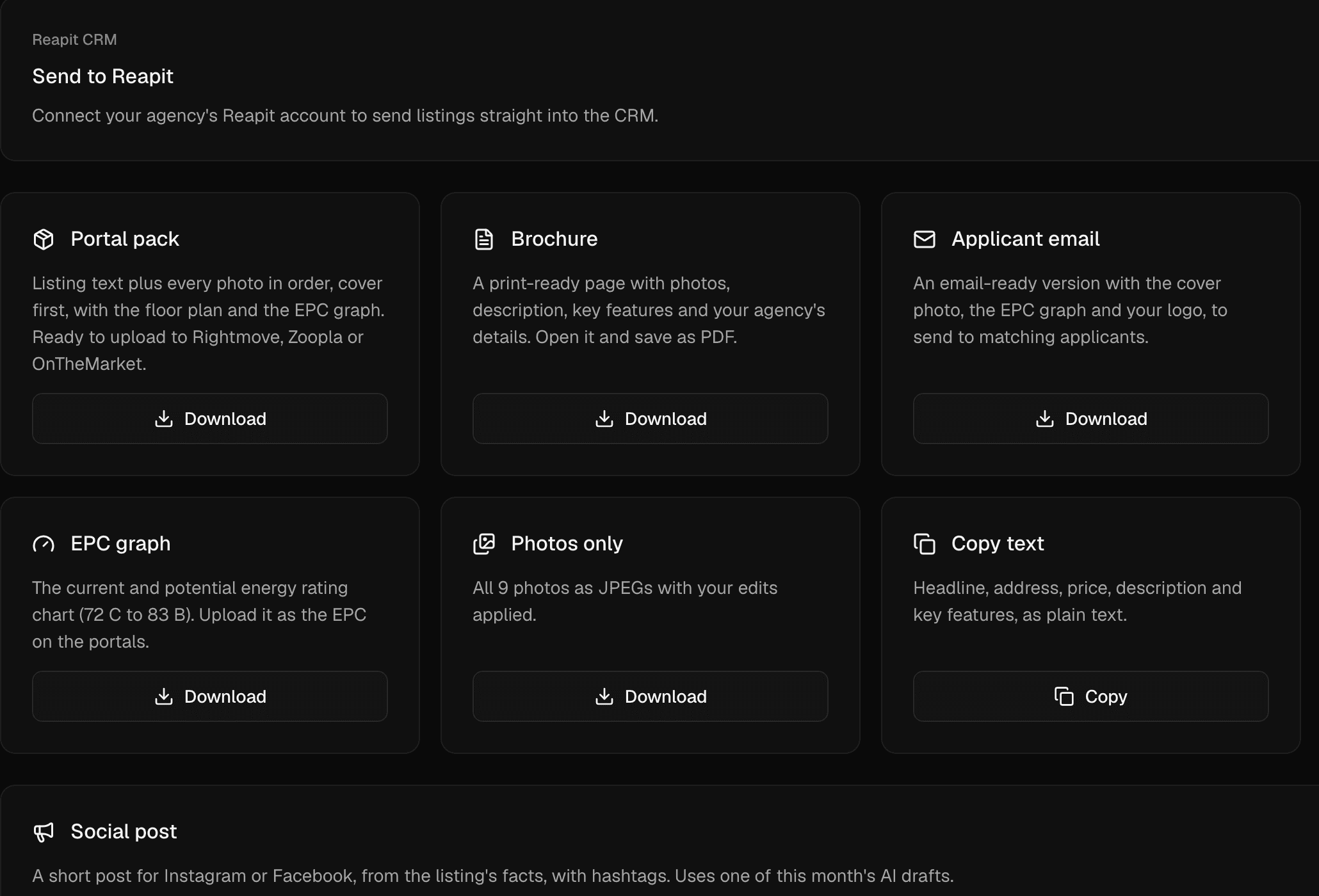
Download the portal pack, a branded brochure, an applicant email, the floor plan, the EPC graph or a social post. Or send the finished listing straight into Reapit, photos included.
Photos in order, cover first
Hidden photo location data removed
Send to Reapit, now in testing
See a listing made, start to finish.
A short call, on one of your own properties if you like.